Streamlining on-site HVAC testing for electricians and technicians.
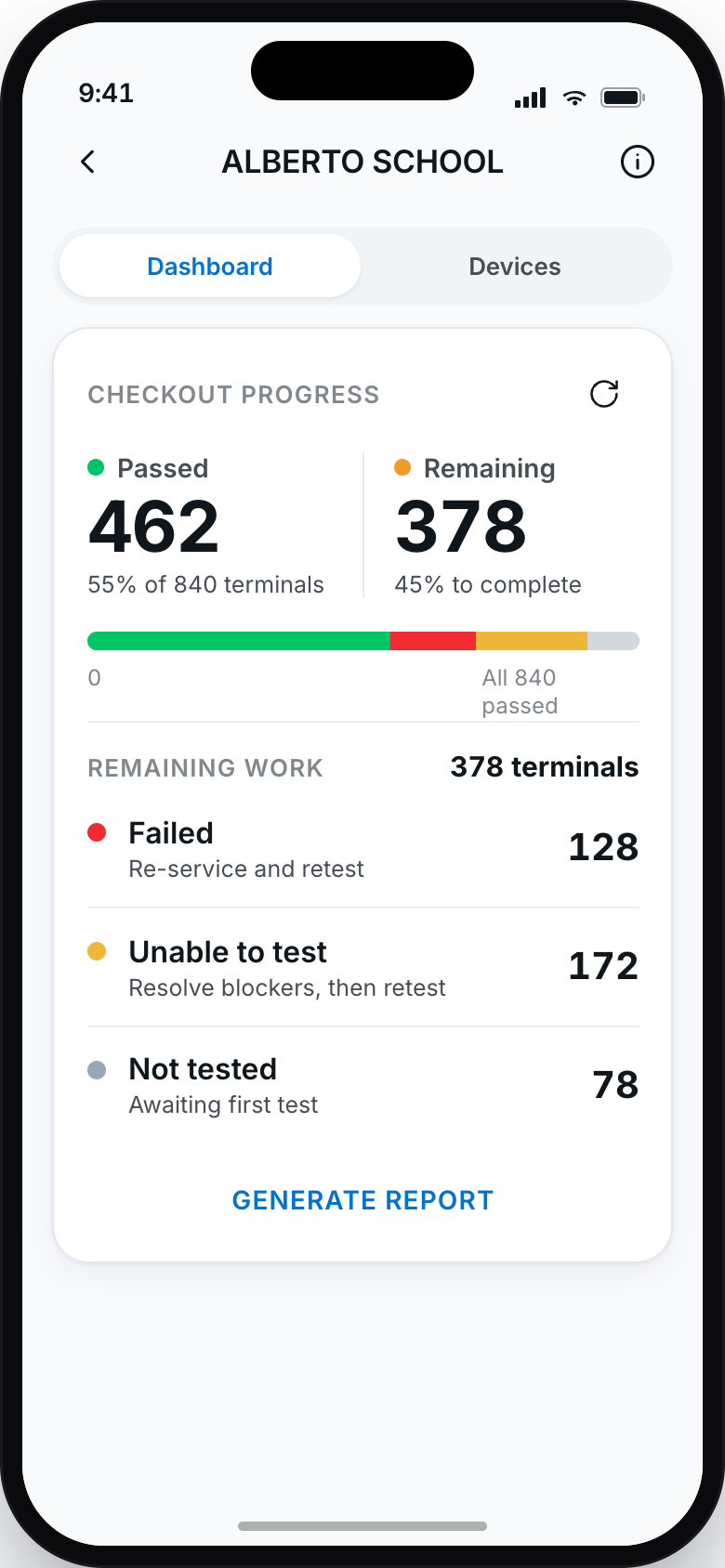
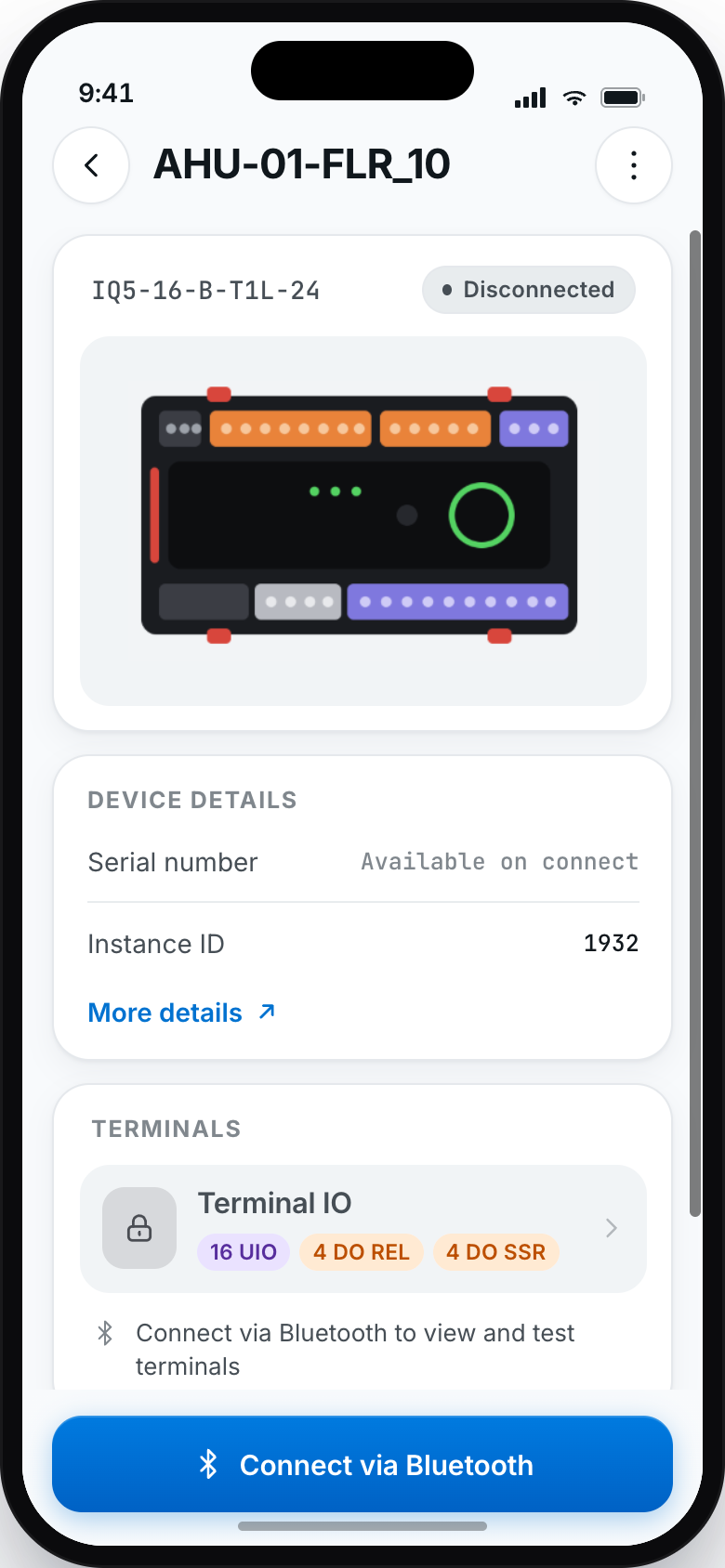
Wire & Check is a Honeywell app that replaces the laptop technicians carry to every device on site, and streamlines pre-commissioning of the new building controllers.
Problem scoping · workflow mapping · UI refinement · technician interviews · developer handoff
Design 1 · Product management 4 · Engineering 8 · Hardware 7 · Cloud 3 · Firmware 4
~ 8 months
Standalone mobile app for on-site technicians

The situation
Since joining Honeywell I've been part of a team that creates digital products for managing air-conditioning systems (HVAC) in commercial spaces such as malls and offices. At the heart of these systems are controllers that manage and coordinate the components: sensors, valves, fans, thermostats.
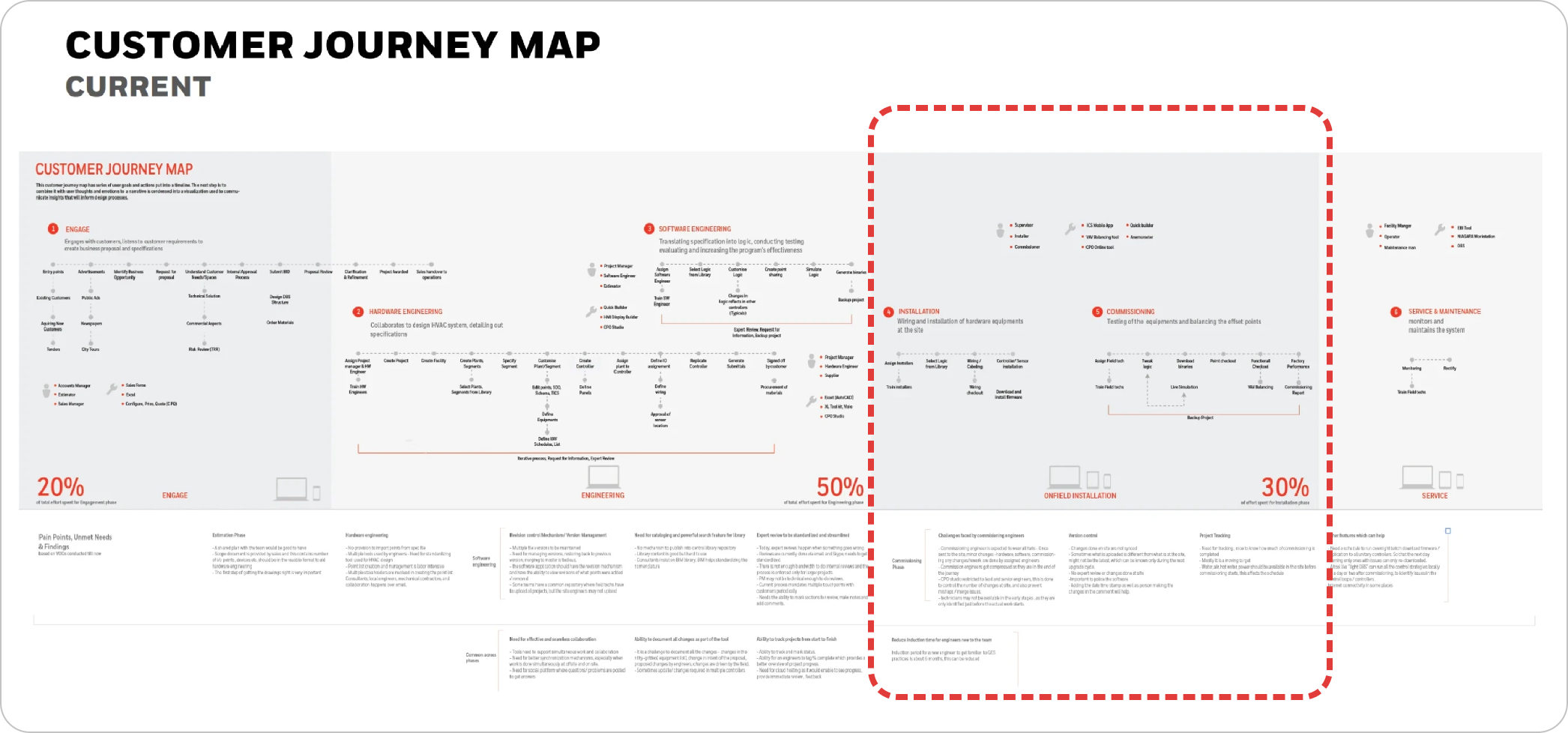
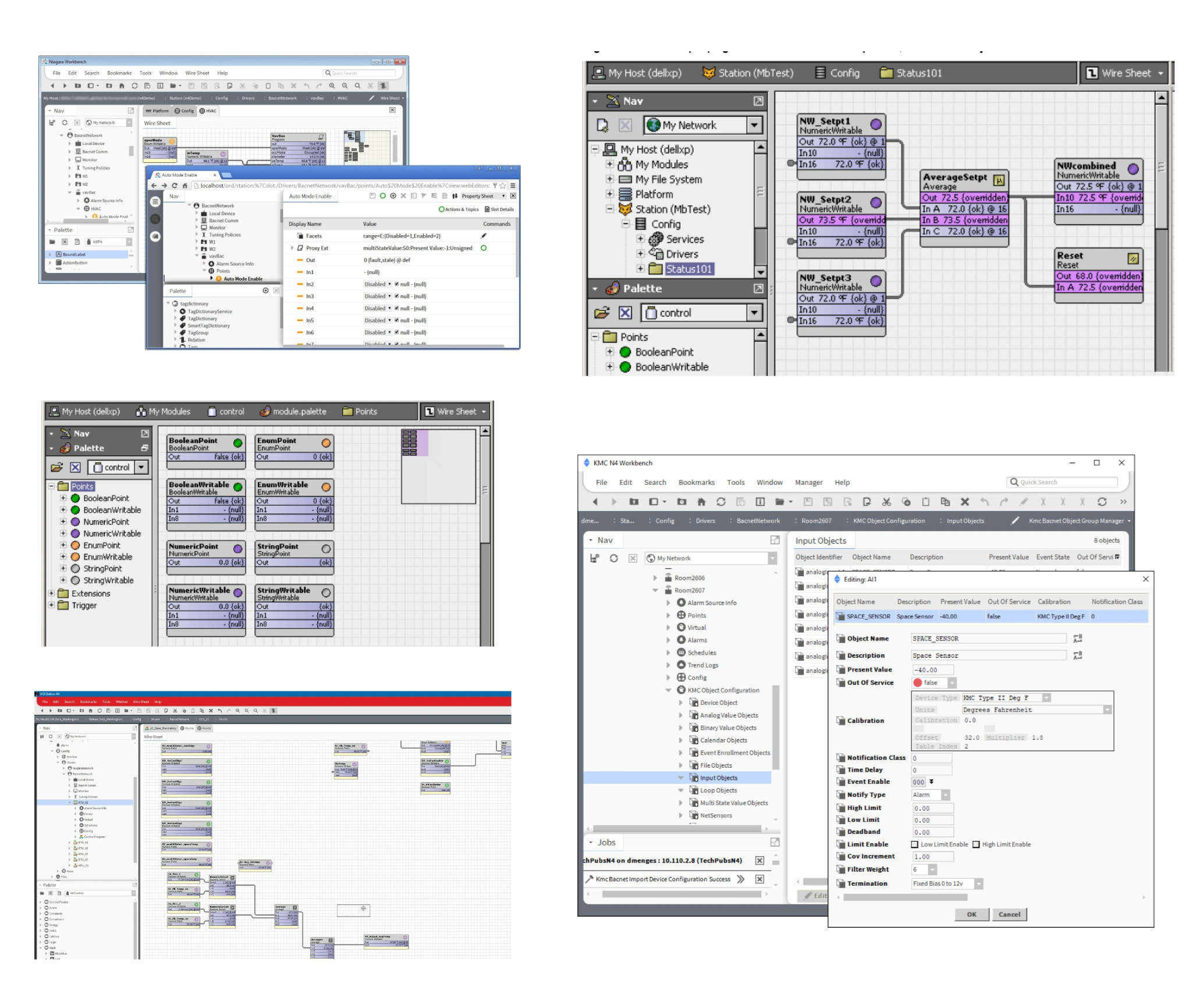
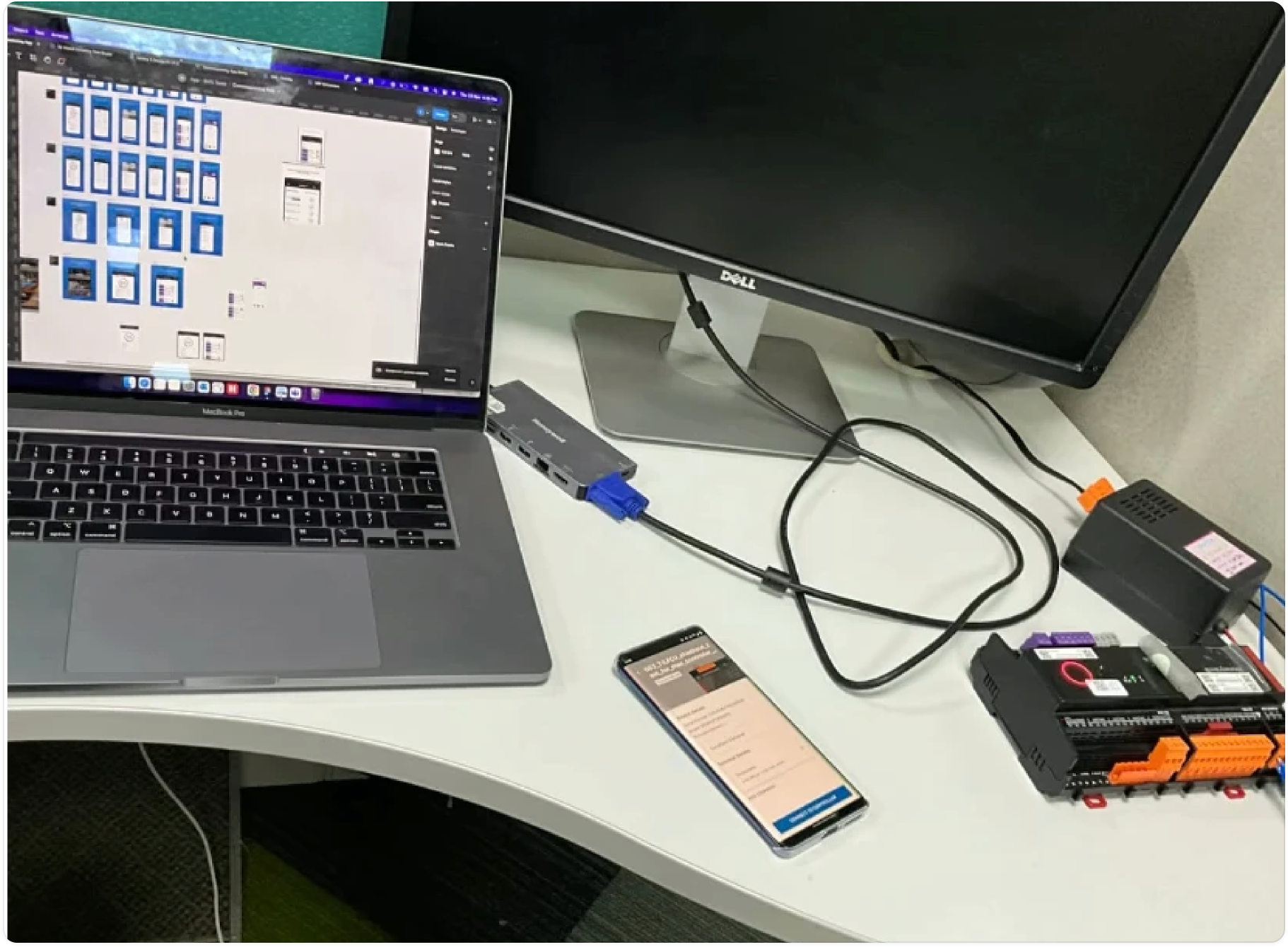
To ensure a system is installed and configured correctly, technicians must test every wiring connection and input/output point before it goes live. That phase is called pre-commissioning. When an electrician finishes installing an HVAC system, they test all the devices on site to check whether they are working by logic. To do that today, electricians have to carry a laptop to every device in the building, which makes testing hard and time-taking.
The constraint: one app, many brands
The initial requirement was for a one-step solution serving all the brands owned by Honeywell. Because each of those brands currently uses different tools, it was hard to align with all of them at once, and nothing could move until the scope was finalised and approved by the OEMs of every brand.
This shaped the whole project. It's the reason the workflow phase ran to six months, and the reason the app was later positioned as the start of a new product line meant to streamline the differences between Honeywell and Honeywell-owned brands.
Mapping the technician's workflow
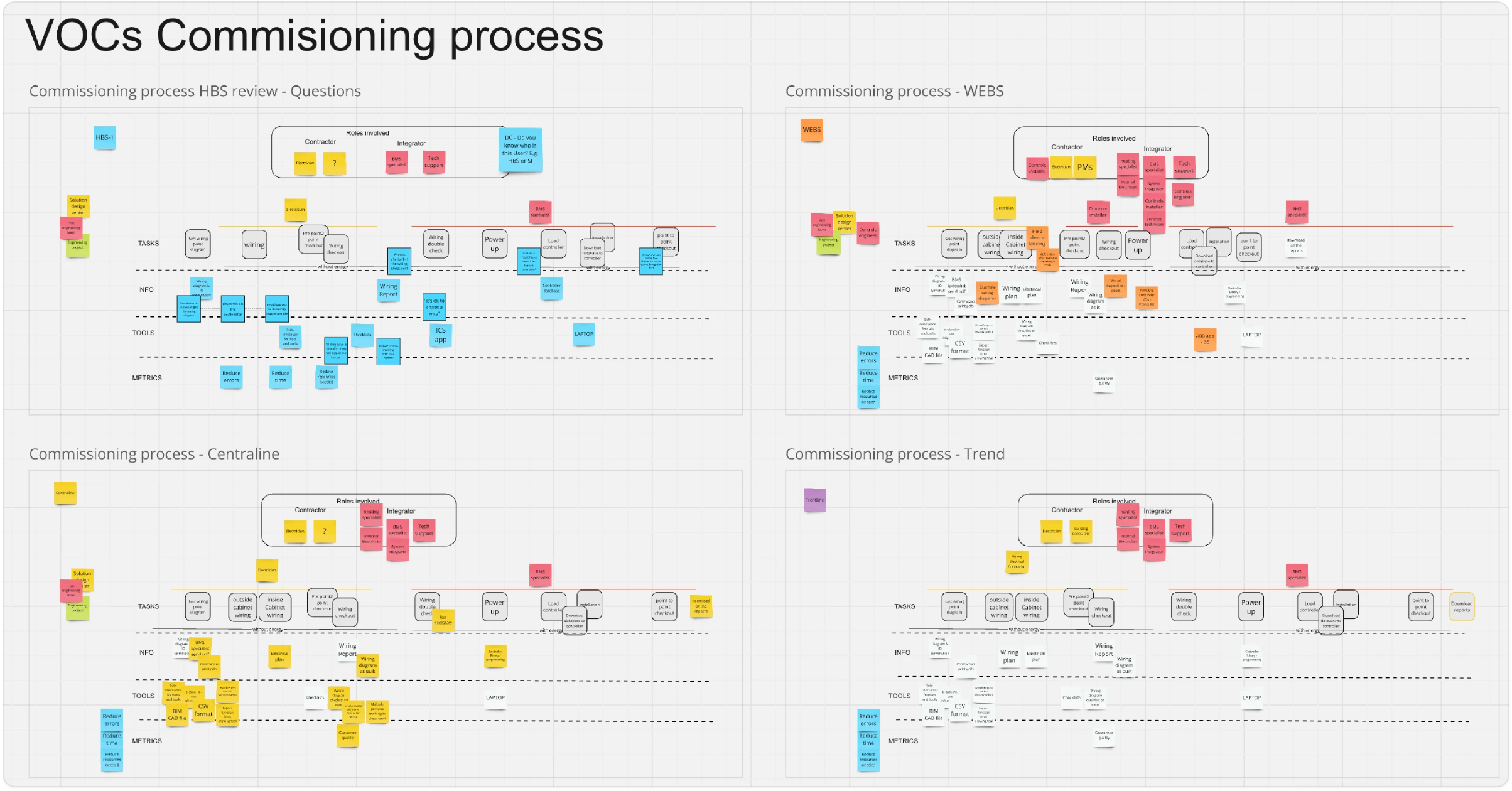
I mapped out technician workflows to understand their unique use cases, key steps and pain points. This helped identify task variations, common friction points, and opportunities to streamline the process for different controller types and on-site conditions, the two variables that make this job different every time.
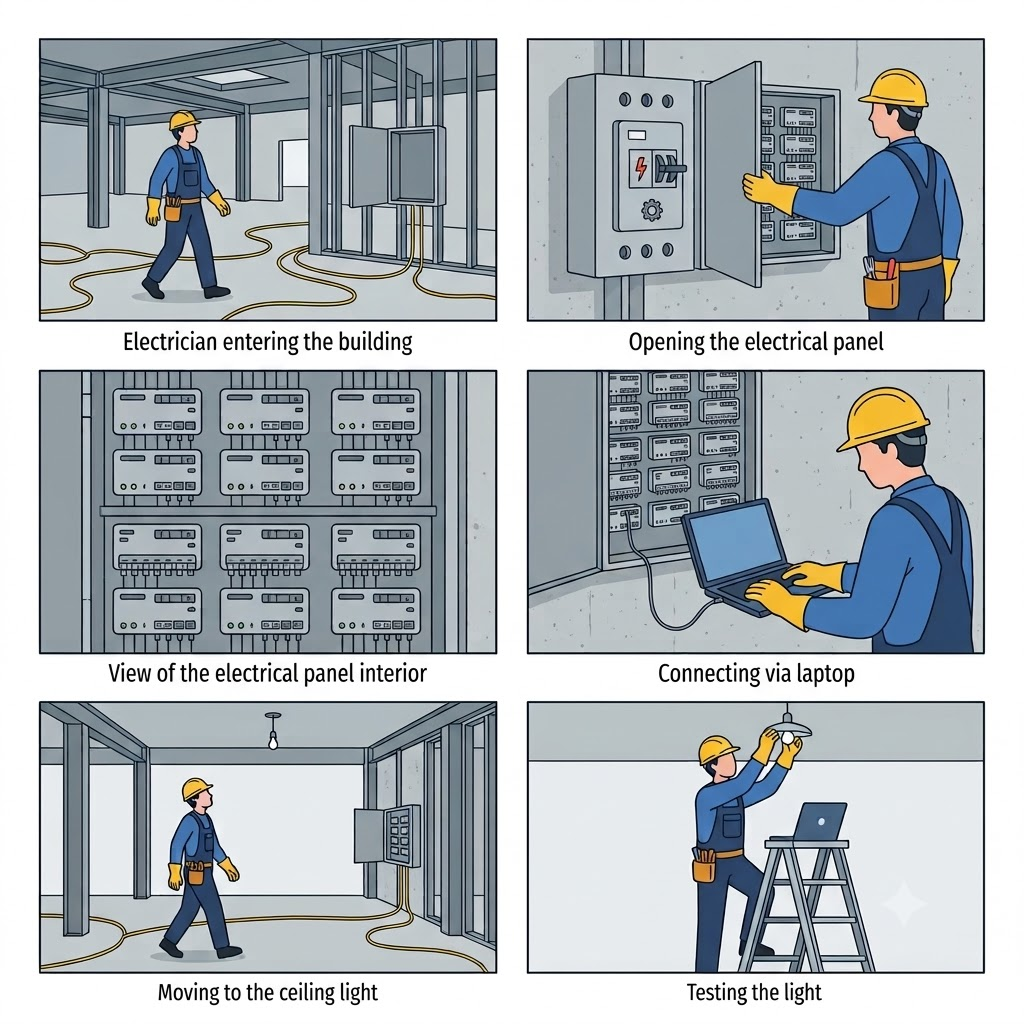
The pre-commissioning flow, end to end
Three stages carry a technician from arriving on site to a finished, shareable test.
What technicians were struggling with
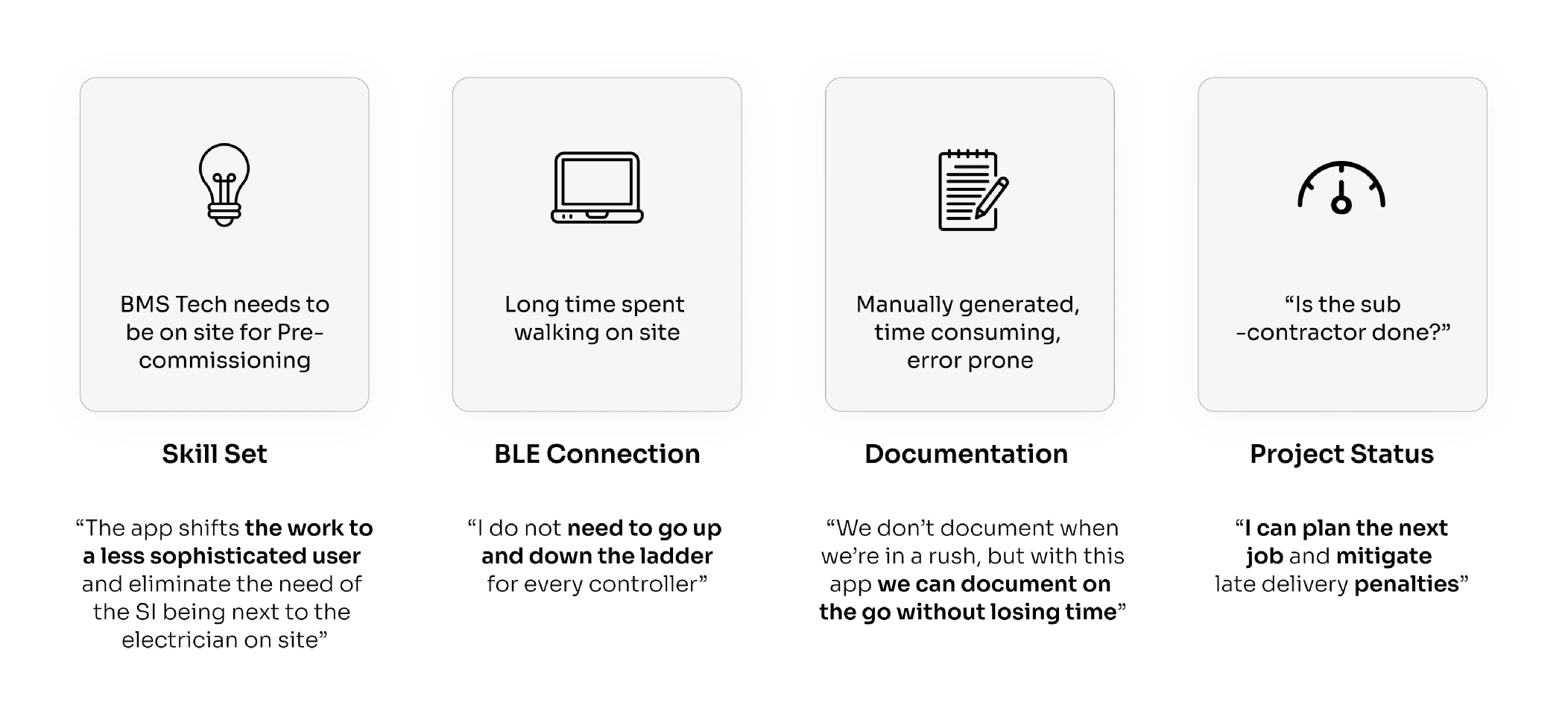
Four problems came out of the research, each one with a need attached to it, in the technician's own words.
Laptops are hard to carry around the site
"Laptops are too bulky."
NEEDA portable way to test controllers without using bulky laptops.
It is hard to distinguish hardware from the one in the document
"Doesn't match the panel."
NEEDA clear way to match hardware with the correct digital reference.
No way to track their progress of the pre-commissioning process
"I lose track easily."
NEEDReal-time tracking to avoid missed steps and ensure complete testing.
Had to manually create and share the pre-commissioning report
"Reporting takes too long."
To build a unified platform that simplifies HVAC pre-commissioning for electricians and boosts efficiency across all brands.
The work
The all-new Honeywell "Wire & Check" app, that streamlines the pre-commissioning of our new building controllers.
Structuring the flows
Once the scope was finalised and approved by the OEMs of all the brands, I started working on iterations for the workflow. We went on an un-ending loop of iterations, reviews, feedback and changes until we reached a point where the workflow started making sense to everyone. This phase alone took six months.
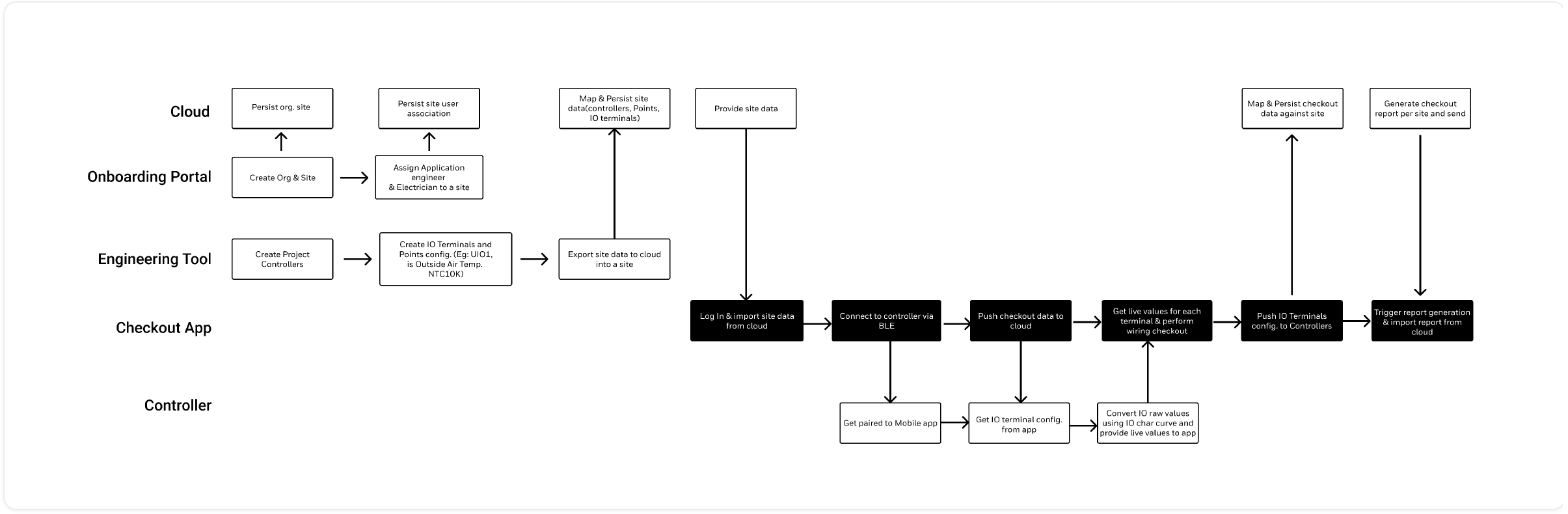
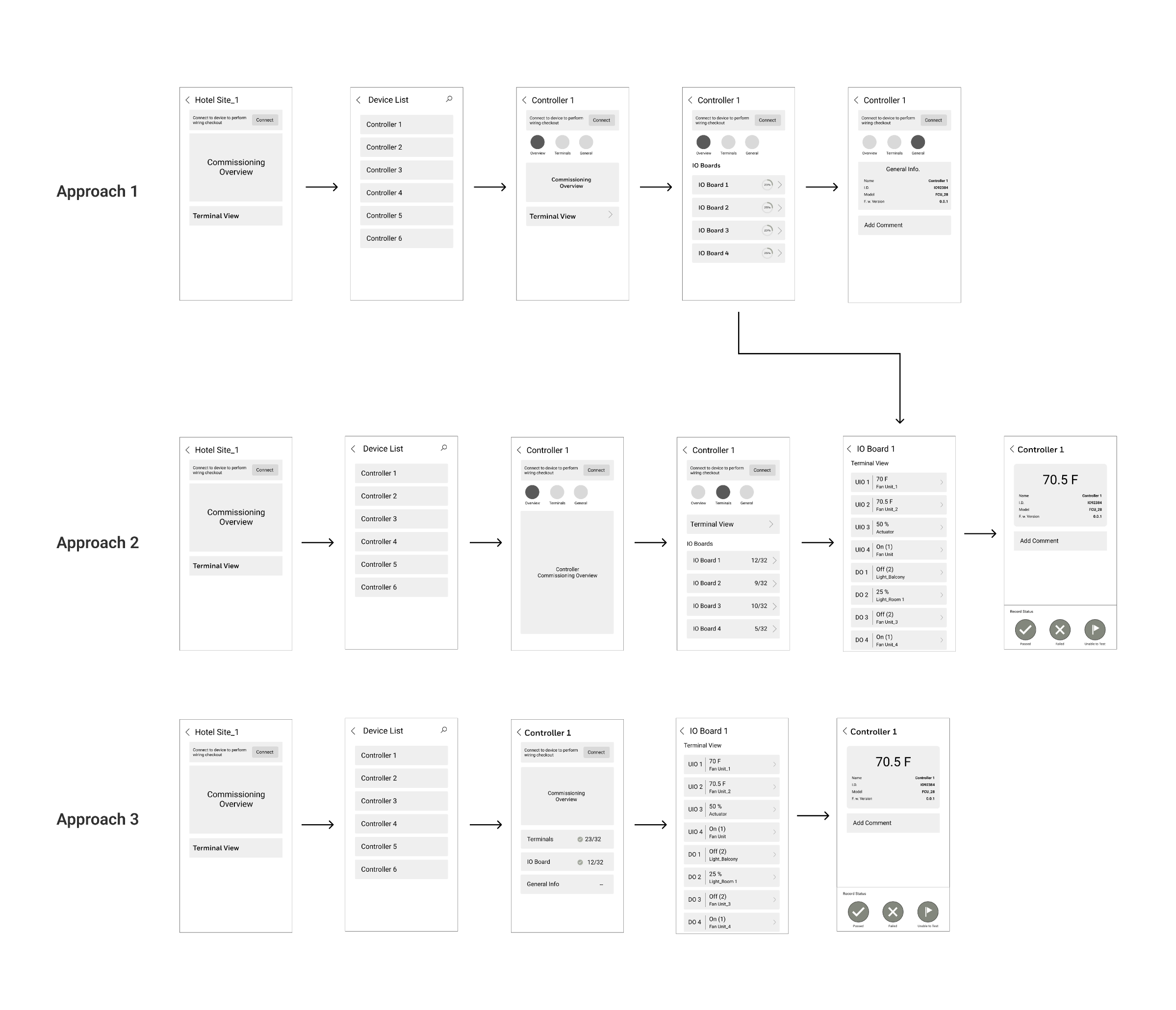
Design iterations, then wireframes
After several iterations and feedback rounds we finalised the workflow, and I began wireframing.
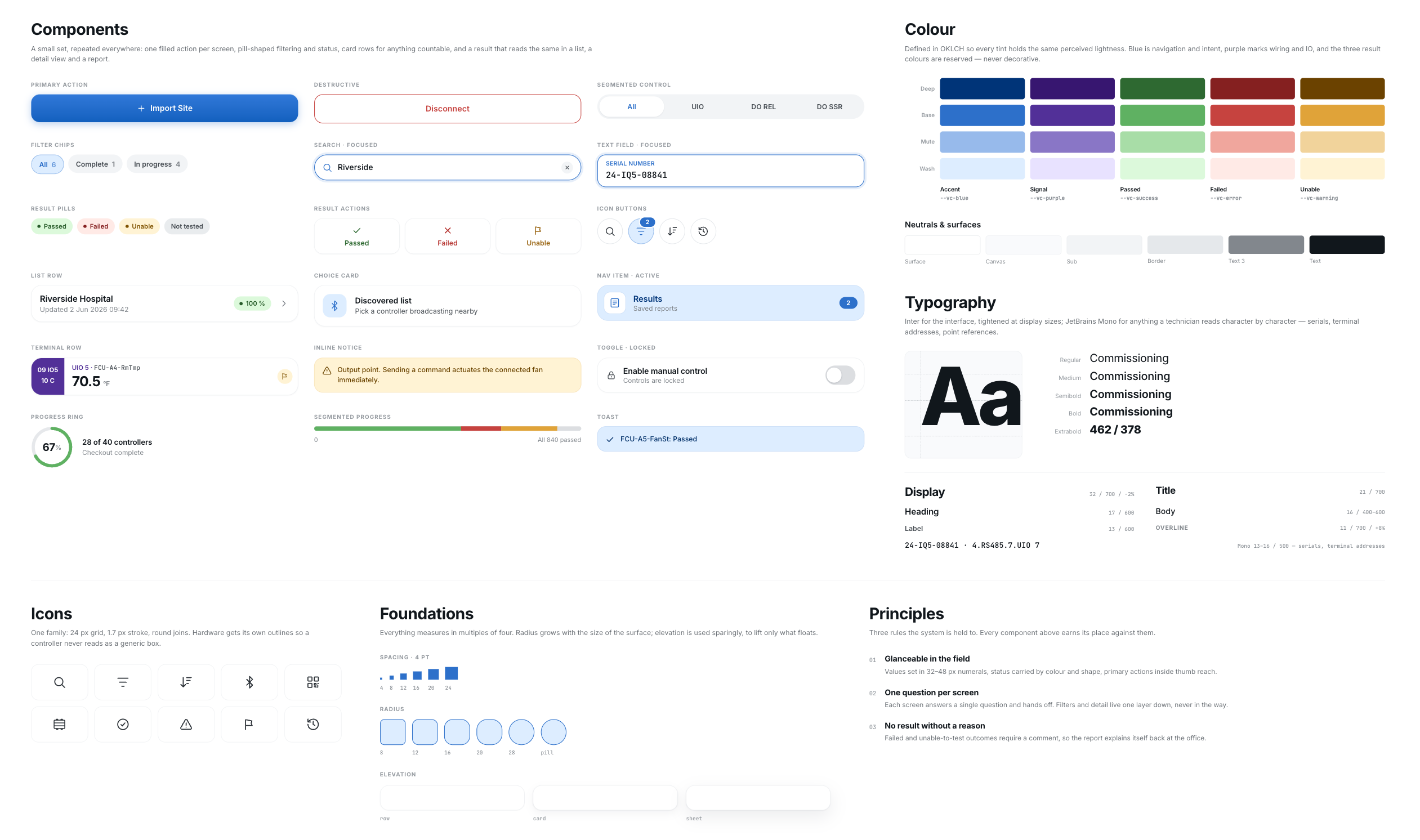
Visual direction & styling
This app was intended to start a new line of products designed to streamline the differences between Honeywell and Honeywell-owned brands. To signify that visually, it was decided the app would follow the newly published design system.
The decision that changed
A feature inside "Connect Mobile" → a standalone app
Pre-commissioning was initially planned as a feature within the existing "Connect Mobile" app. Customer insights led us to develop it as a standalone app instead, which is also what made the separate branding, app-store presence and launch work below necessary.
Validating the designs
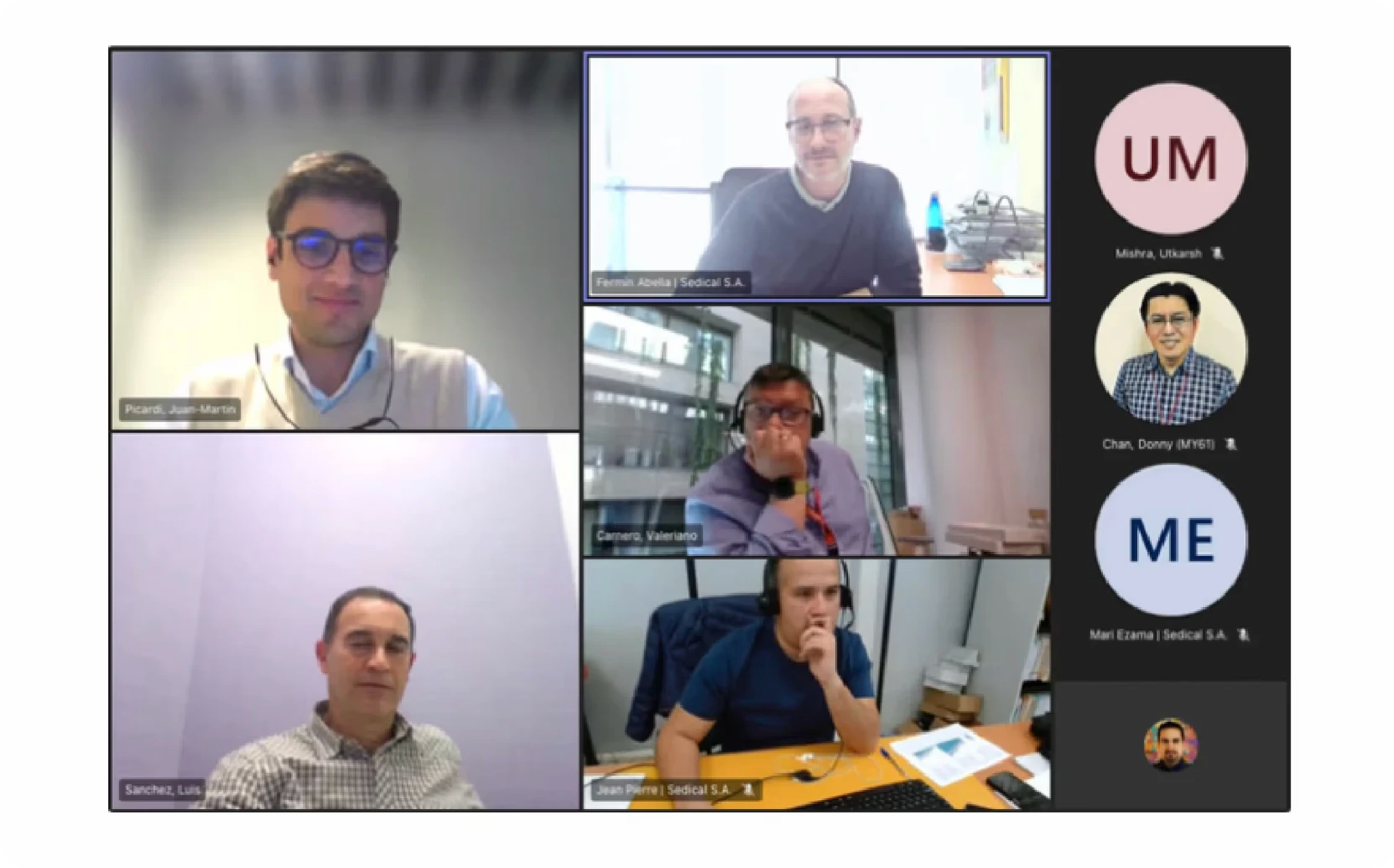
Once the designs were final it was time to test them with potential users. We ran around 20 usability test sessions with users across the globe from different industrial backgrounds, deliberately assembled as a diverse focus group.
Across all of those interviews we noticed one thing in common: people got excited once they understood what we were trying to offer with the app.
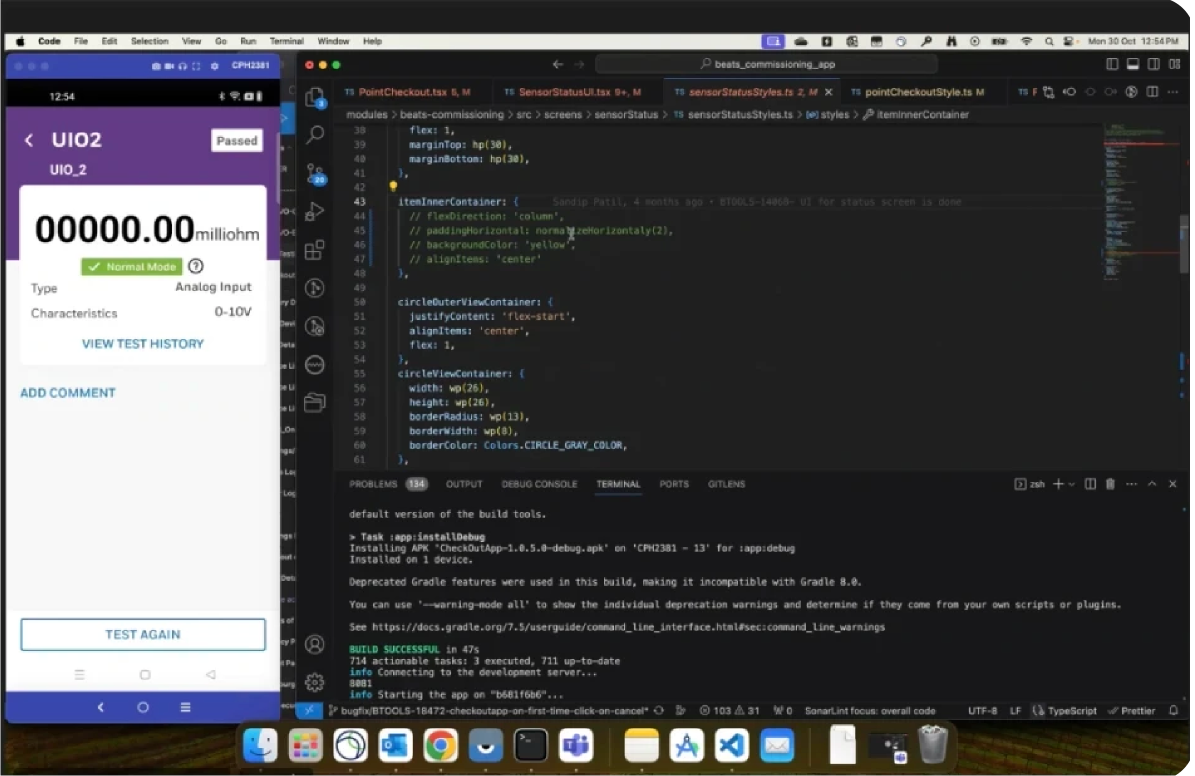
Development
For the next few months I worked alongside the dev team to deliver pixel-perfect workflows according to the product roadmap. We followed scrum, so after every sprint I reviewed the implemented screens with the team and suggested changes wherever there were discrepancies, until the build aligned with the designs I'd provided.
Preparing for launch
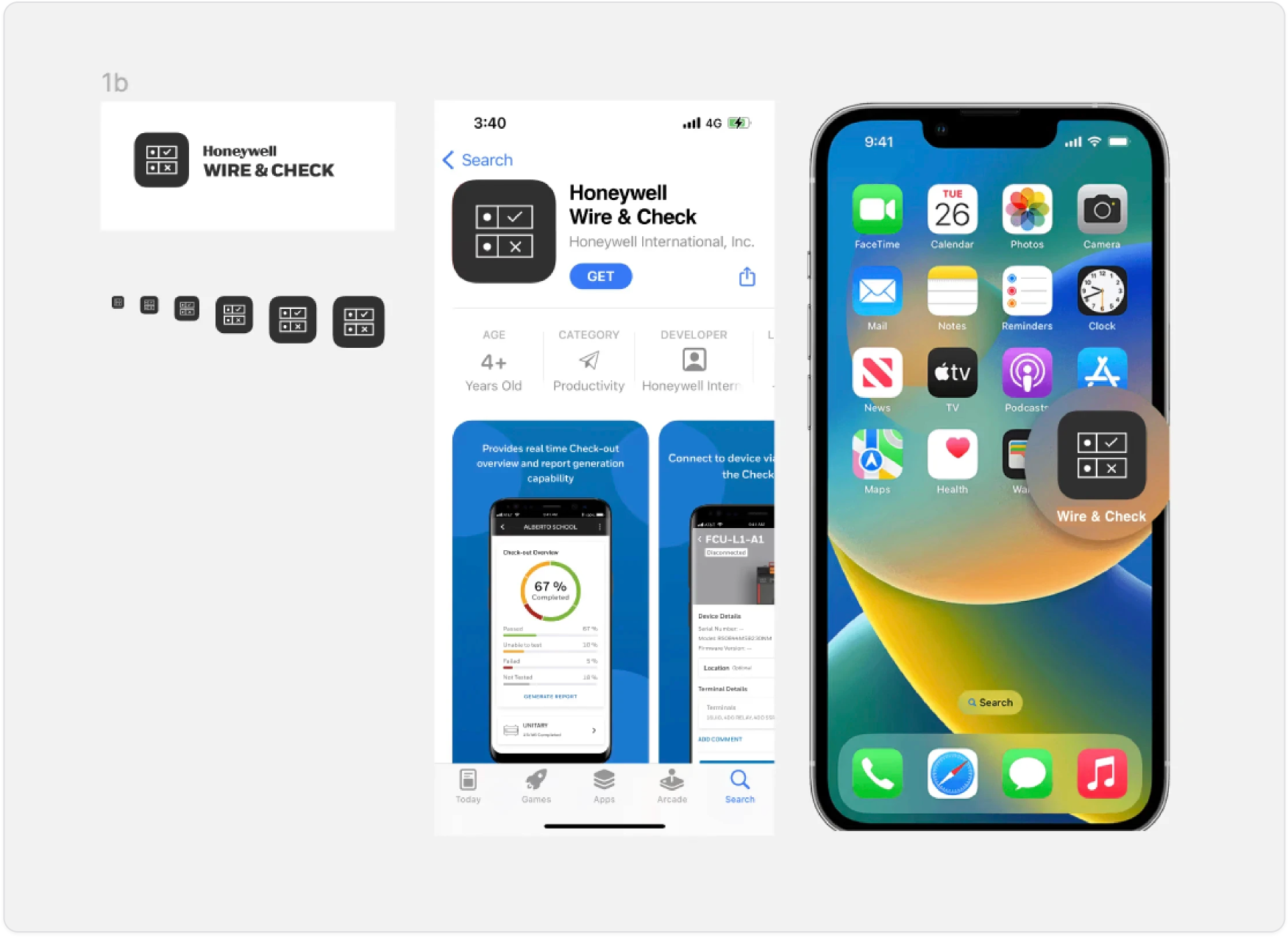
While all of the above was running, I was also multi-tasking on preparing the app for launch. Along with creating the branding for the app, I provided the content shown on the product's App Store and Play Store pages: the product description and the app's preview snapshots.
Impact
Reduction in setup cost
Reduction in setup time
Wire & Check transformed on-site HVAC testing by replacing bulky tools with a streamlined mobile workflow. It simplified wiring checks, automated reporting, and brought consistency across Honeywell brands, enabling faster, more efficient pre-commissioning at scale.
Customer reviews
After the launch we conducted a final round of testing, which gave us our closing insights and feedback.
Appreciate you making it all the way down here. Thanks for reading!
Connecting New HVAC Capabilities